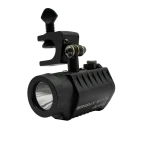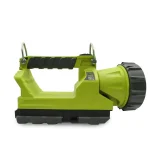

Choosing between the Raptor Spot and Raptor Flood rechargeable lanterns starts with a simple question: do you need light aimed farther ahead, or light spread across a nearby work area? A spotlight and a floodlight serve different purposes. Thinking about the task, the space, and how the light will be charged can help you choose the right lantern for a job site, facility, or power outage.
This guide compares the two beam styles in plain language, explains when each may be useful, and covers what to check about charging, runtime, accessories, and area lighting. Check the current KBS product pages for the exact specifications of each model before making a decision.
 Spot and flood beams: what’s the difference?
A spot beam concentrates light into a more focused area. That can be useful when you need to direct light toward something farther away or inspect a particular point. The Raptor Spot Rechargeable Lantern is described by KBS as a spotlight, with three modes and a peak beam intensity and range listed on its site. Check the product page for the current specifications and available configurations. KBS Raptor Spot information
A flood beam spreads light over a wider area. That can help when you need to illuminate a nearby space rather than direct a concentrated beam at a distant target. The Raptor Flood Rechargeable Lantern is the flood-style option in this comparison. Check its product page for beam details, runtime, charging information, and any published safety ratings.
The difference is not that one beam is always better. The better choice depends on what you need to see and how the lantern will be used. A focused beam can help with longer-distance viewing; a wider beam can be more useful when the task is close by or covers a broader area.
A spotlight may be useful when you need to send light toward a specific point or look farther ahead. Examples might include checking an area from a distance, directing attention toward a feature, or illuminating a target without lighting the whole surrounding space.
Think about how often you need to move the beam and whether the light will be carried, mounted, or placed in a fixed position. The Raptor Spot’s product page lists its modes and beam details; use those current figures to judge whether it suits your actual working distance. Avoid comparing products using beam range alone, since the amount of surrounding light and the task itself also matter.
KBS describes the Raptor Spot as certified safe for hazardous environments. If that matters for your worksite, review the product’s current safety information and confirm that it matches the requirements for the intended location.
A floodlight spreads light across a broader area. That can help with nearby work where several objects or a wider section of space needs to be visible at once. It may suit tasks where a narrow beam would require frequent repositioning.
Before selecting the Raptor Flood, review its current product information for beam pattern, modes, runtime, charging method, and safety details. The schedule specifically says to confirm the Raptor Flood’s rating with the client before describing it as certified safe for hazardous environments. Until that confirmation is available, don’t make that claim in the post.
If you are choosing between the two Raptor models, focus on the work area rather than the model’s name. Ask whether the priority is reaching farther with a focused beam or spreading light over the area where people are working.
 When to step up to an area light
A rechargeable lantern may be easy to position for portable use, but a larger area light can be more suitable when a team needs to light a broad workspace. KBS lists the B.F.L. Area Light as a separate area-light option. The exact output, runtime, and setup should be checked on its product page.
A tripod can help position an area light above the work area, depending on the product and accessory compatibility. The schedule includes the B.F.L. Area Light Tripod Accessory and LightHawk and Raptor Accessories as products to feature. Confirm their current names and compatibility on KBS’s product pages before linking them or describing their use.
For a related comparison, see KBS’s guide to portable area lights versus spotlights. If you are preparing for an outage, the facility power-outage lighting checklist and hurricane-ready kit guide can help you think about how portable lights fit into a broader plan.
Since both Raptor products are rechargeable, check how each one is charged and what runtime the product page lists for each mode. The useful comparison is the runtime you can expect in the mode you will actually use, not a general maximum that may apply under different conditions.
Before buying, review the charging method, included charging components, and any instructions for keeping the lantern ready between uses. If the light will be part of an emergency kit, decide where it will be stored and how you will check its charge. For regular work, consider who is responsible for charging it and returning it to its storage location.
Use the current product pages for the Raptor Spot and Raptor Flood rather than assuming their charging accessories, runtimes, or modes are identical.
How a light is positioned can affect how useful it is. A lantern placed on the ground may illuminate a different area than one placed on a raised surface or mounted in a stable position. Think about where the light will be used and whether the crew needs to move it frequently.
The schedule calls out Raptor accessories and a tripod accessory for the B.F.L. Area Light. Before choosing an accessory, verify the exact product name and which light it fits. Compatibility details should come from the product page or documentation.
You can also compare a portable lantern with a dedicated area light. KBS’s Area Lighting category includes options intended for broader lighting needs. Browse Area Lighting
Consider the Raptor Spot when you need a more focused beam for directing light toward a particular point or farther area. Consider the Raptor Flood when you want a wider spread of light for nearby work. Consider the B.F.L. Area Light when your task calls for a separate area-light setup.
Then compare the details that affect everyday use:
Confirm those details on the current product pages before making a purchase. If the worksite has specific hazardous-location requirements, verify the product’s rating against those requirements rather than relying on a general description.
Shop Raptor lanterns in the Area Lighting category.